Post this to Instagram and Facebook tonight at 7pm.
Post to social media from ChatGPT
Add Honkpost to ChatGPT as a plugin. Then tell it what to post.
- Sign in. No key to copy.
- ChatGPT → Plugins → Add
Just ask
Tell ChatGPT what to post, where and when, in plain words. It writes it and schedules it.
See it first
You get the post back as a card with its time. Move it or cancel it before it goes out.
Posts on time
Honkpost publishes at the time you set, with ChatGPT closed. Nothing to keep open.
Makes the image too
Ask for a picture and it makes or edits one for the post, paid in the image credits that come with your plan.
6 steps. Then just ask.
- A ChatGPT account (free works), on the web
- A Honkpost account with a channel connected
https://honkpost.com/api/mcp?images=1
Copy the link and open ChatGPT
On Connect AI, pick ChatGPT and click Copy link and open ChatGPT.
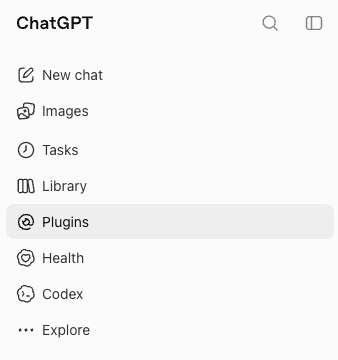
Open Connect AIOpen Plugins
Click Plugins in the sidebar.
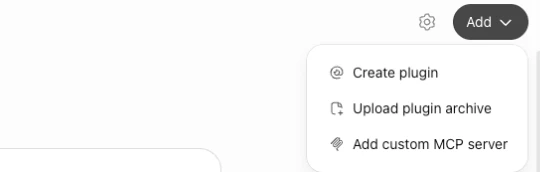
Add a custom MCP server
Click Add, then Add custom MCP server.
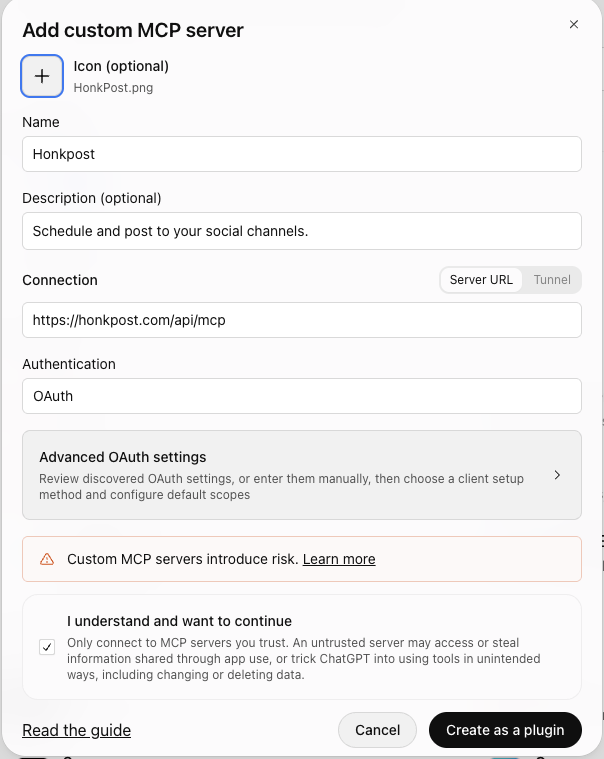
Paste the link
Name it Honkpost. Paste https://honkpost.com/api/mcp. Leave Authentication on OAuth. Tick "I understand", then Create as a plugin.
Connect
Click Connect Honkpost.
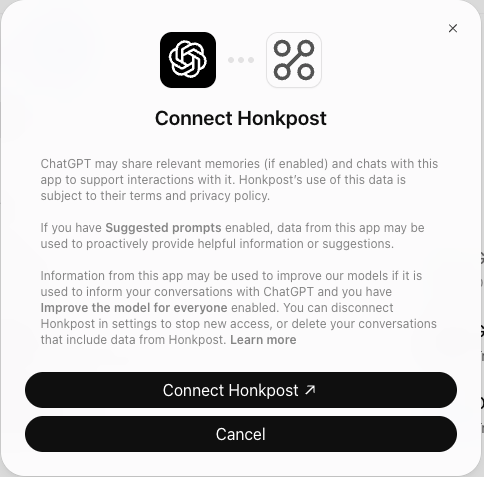
Sign in and allow
Sign in to Honkpost and click Allow. Then ask ChatGPT: "what are my Honkpost channels?"
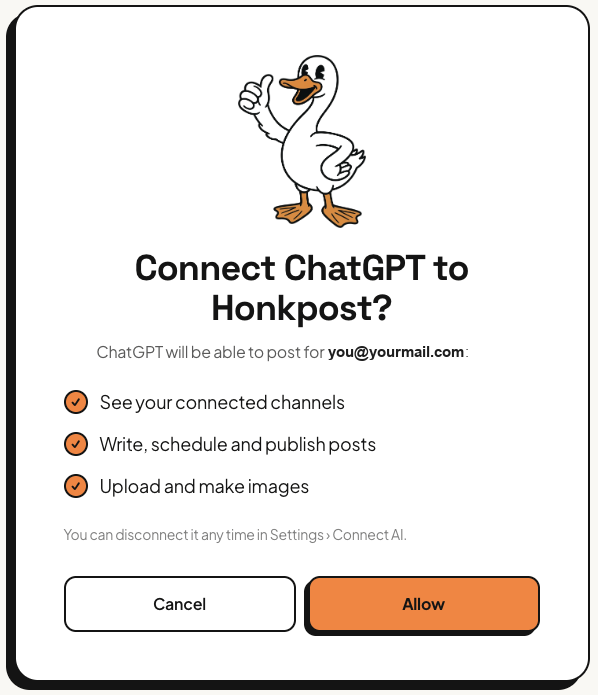
ChatGPT asks you to confirm before it publishes anything.
If it goes wrong
ChatGPT doesn’t see Honkpost. Start a new chat after connecting.
It acts like an old version. ChatGPT remembers Honkpost’s tools. Disconnect it, connect again and start a new chat.
It says Unauthorized. The connection was unplugged, or the key is wrong. Connect again from Connect AI.
It can’t see a channel. It only sees channels connected in Honkpost. Connect it in Settings → Channels. AI apps can’t do that part.
Your AI writes it. We post it.
Once ChatGPT is connected, posting is a sentence. Here's what happens after you send it.
Post this to Instagram and Facebook tonight at 7pm.
Done. I wrote it and scheduled it. Here it is:
Say it like you’d say it to a person
ChatGPT turns "Post this to Instagram and Facebook tonight at 7pm." into a finished post on the right channels at the right time.
Nothing goes out unchecked
Every post comes back as a card: the text, the picture, the channel and the time. Change your mind and move it or cancel it.
One link. Every channel.
Connect your accounts in Honkpost once. From then on ChatGPT can post to any of them.
See every channelClose the app. It still posts.
Scheduled posts live in Honkpost, not in the chat. They go out at their time whether the app is open or not.

Ask for the picture too
Describe it, or hand over a photo to edit. The image lands in your media library and on the post.
Post this to Instagram and Facebook tonight at 7pm.
Plan three posts for next week and show me before you schedule them.
Move tomorrow’s post to Friday.
Let ChatGPT do the posting.
Connect it once. Then posting is a sentence, and Honkpost handles the rest.
Start your 7-day free trial