
Connect ChatGPT
Add Honkpost to ChatGPT as a plugin. Then tell it what to post.
6 steps · about 2 minutes
You need
- A ChatGPT account (free works), on the web
- A Honkpost account with a channel connected
1
Copy the link and open ChatGPT
On Connect AI, pick ChatGPT and click Copy link and open ChatGPT.
Open Connect AI2
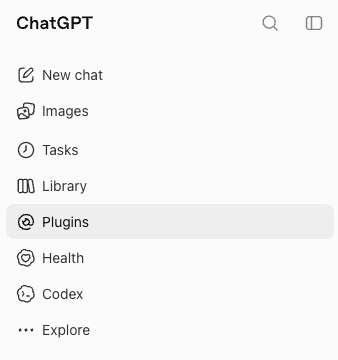
Open Plugins
Click Plugins in the sidebar.
3
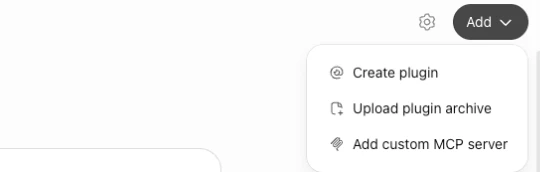
Add a custom MCP server
Click Add, then Add custom MCP server.
4
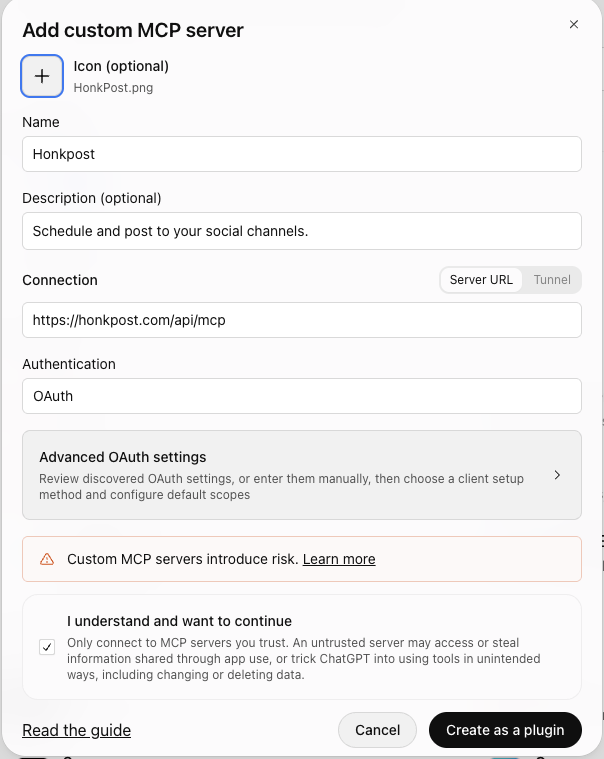
Paste the link
Name it Honkpost. Paste https://honkpost.com/api/mcp. Leave Authentication on OAuth. Tick "I understand", then Create as a plugin.
5
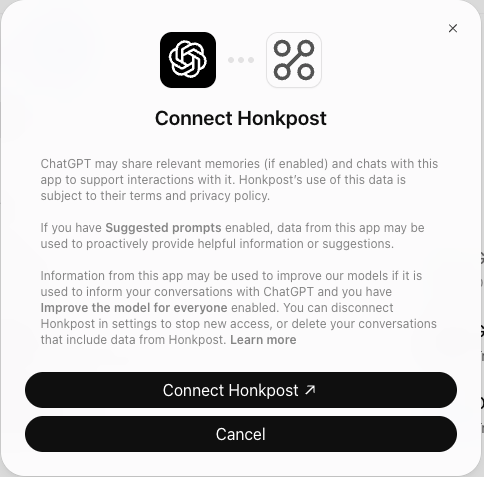
Connect
Click Connect Honkpost.
6
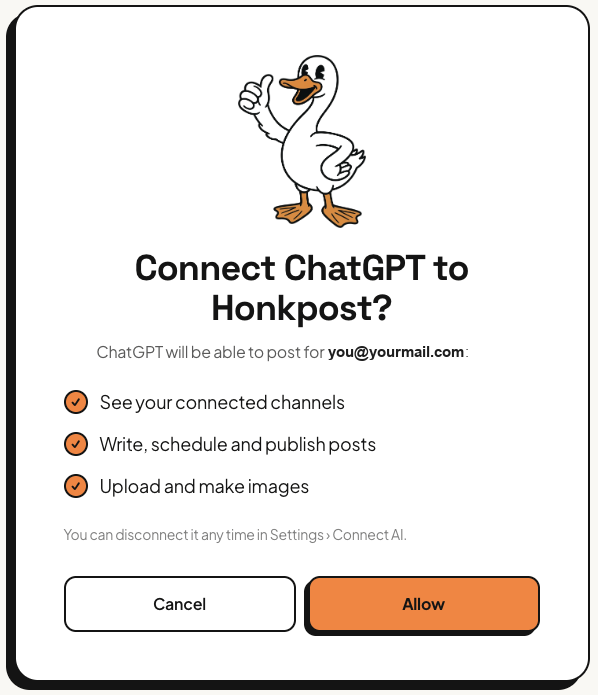
Sign in and allow
Sign in to Honkpost and click Allow. Then ask ChatGPT: "what are my Honkpost channels?"
If it goes wrong
- ChatGPT doesn’t see Honkpost. Start a new chat after connecting.
- It acts like an old version. ChatGPT remembers Honkpost’s tools. Disconnect it, connect again and start a new chat.